
Made by a teacher, for teachers

Structure, bell to bell.

Seating charts, balanced groups, station rotations and cooperative learning, run from the board at the front of your room.

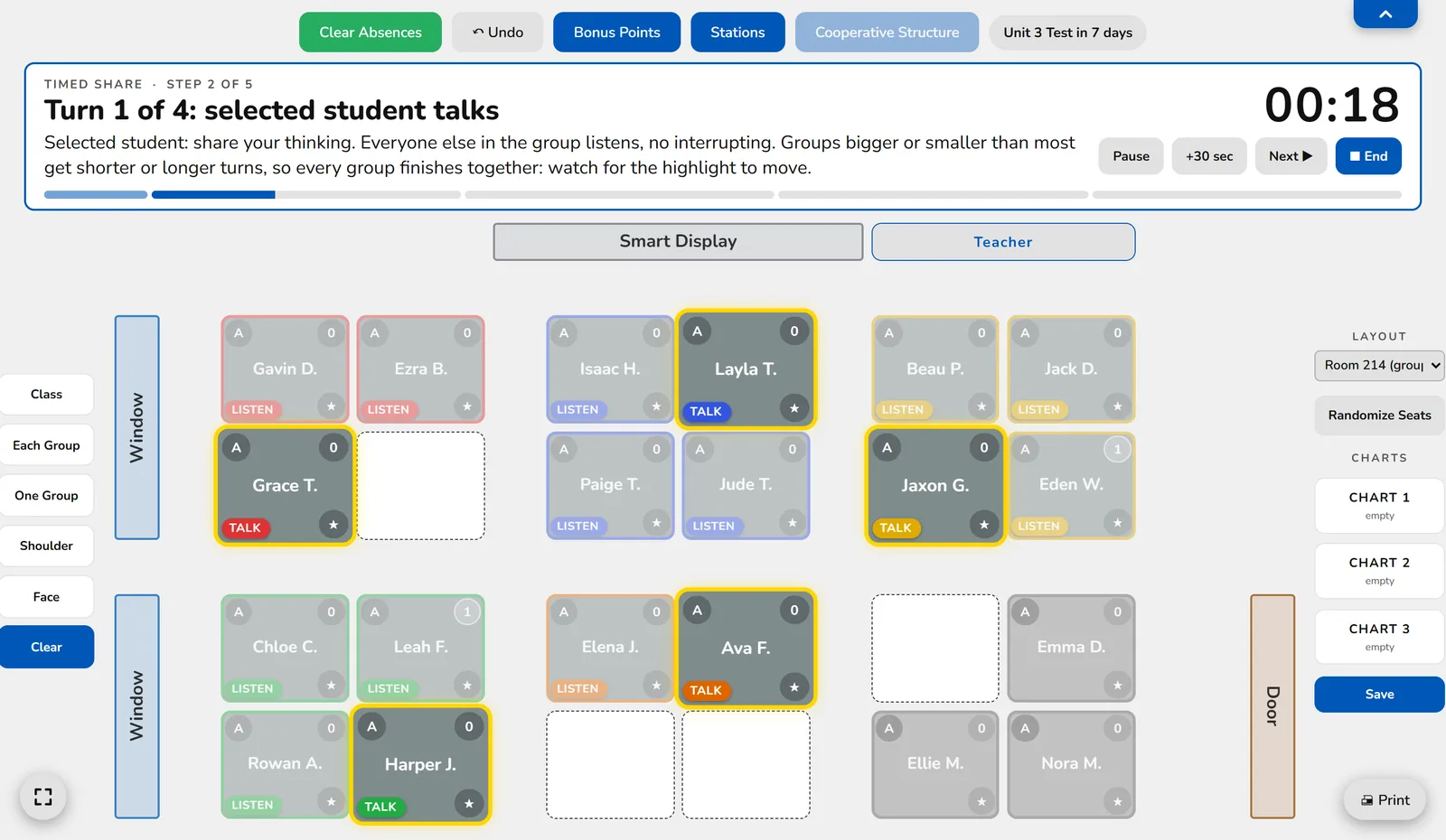
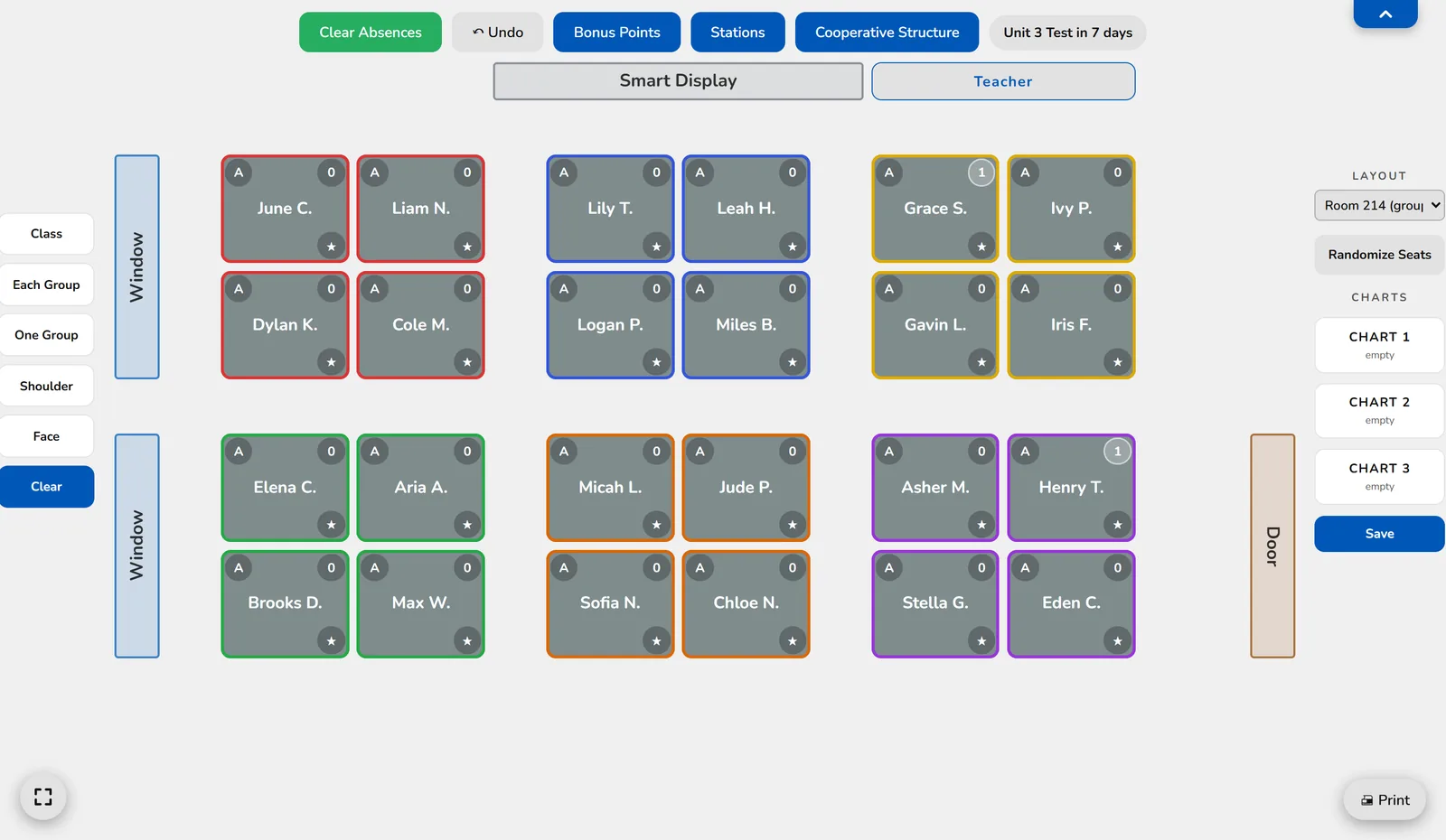
A seating chart in Bellwise: six groups of four students below the smart display, the buttons above it, and student pickers at the side.

Everything a busy room needs, on one screen

Draw your room once. After that, the hard parts of running class happen in a click, in front of your students.

Seating charts

Seating charts that do the thinking

Randomize seats in one click and get groups you would have spent a planning period building.

  • Builds balanced, mixed groups in one click
  • Keeps apart students who don’t engage when together
  • Seats the students who need you close to your desk
  • Keeps more than one layout, like pods and test day rows
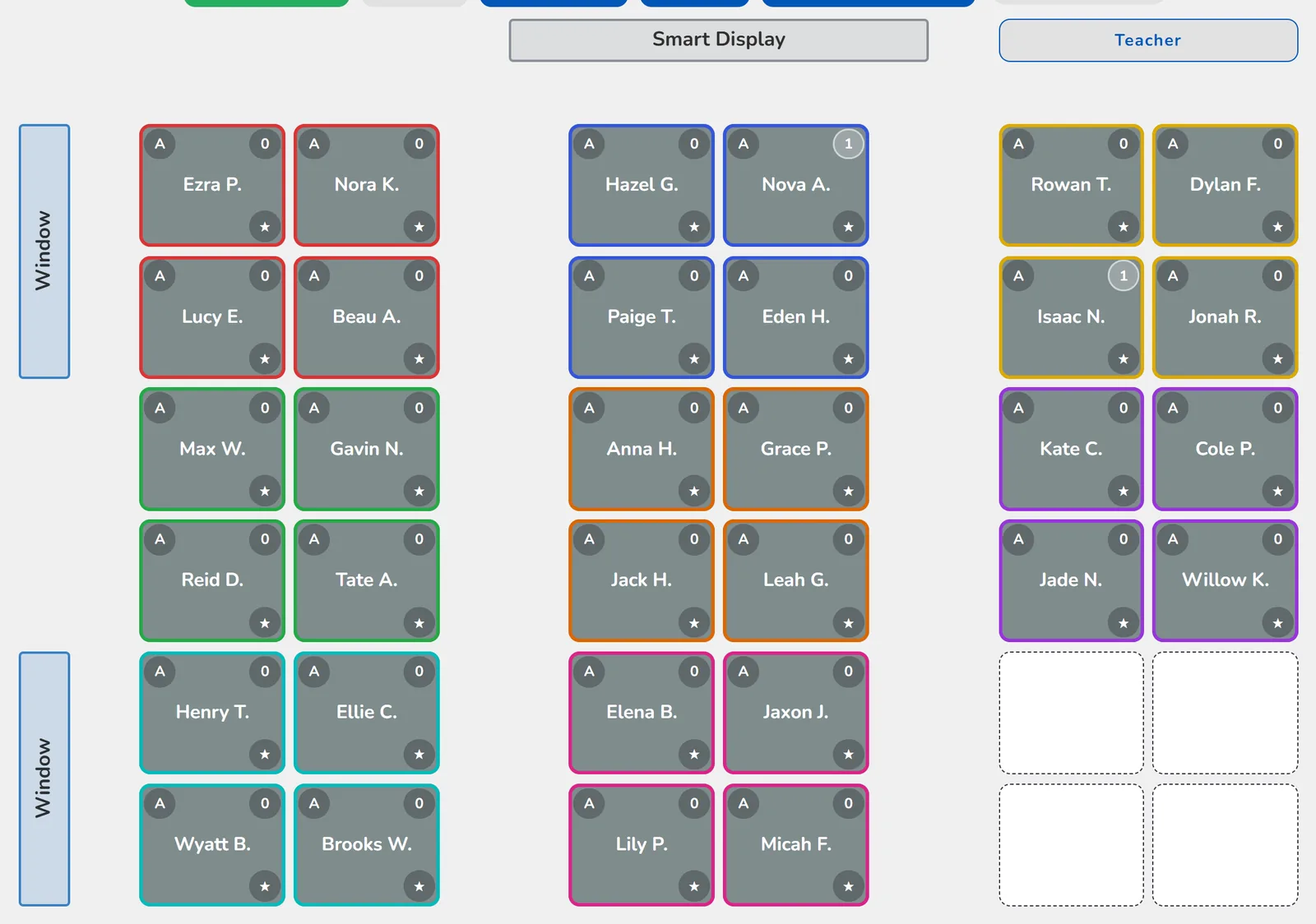
A seating chart in six rows of desks, in nine color-coded groups of four, below the smart display, with windows along the left wall.
Cooperative learning

Cooperative structures, run for you

Pick Partner Turns, Timed Share, Solve and Coach or Numbered Huddle. You give the question; Bellwise runs the rest.

  • Shows the steps and a big timer on the board
  • Highlights whose turn it is at every desk
  • Moves on by itself, with a chime
  • Partners or whole groups, and every group finishes together
A group Timed Share running: the instruction and a countdown above the chart, the student talking in each group highlighted, and three absent students at the back.
Stations

Station rotations without the traffic jam

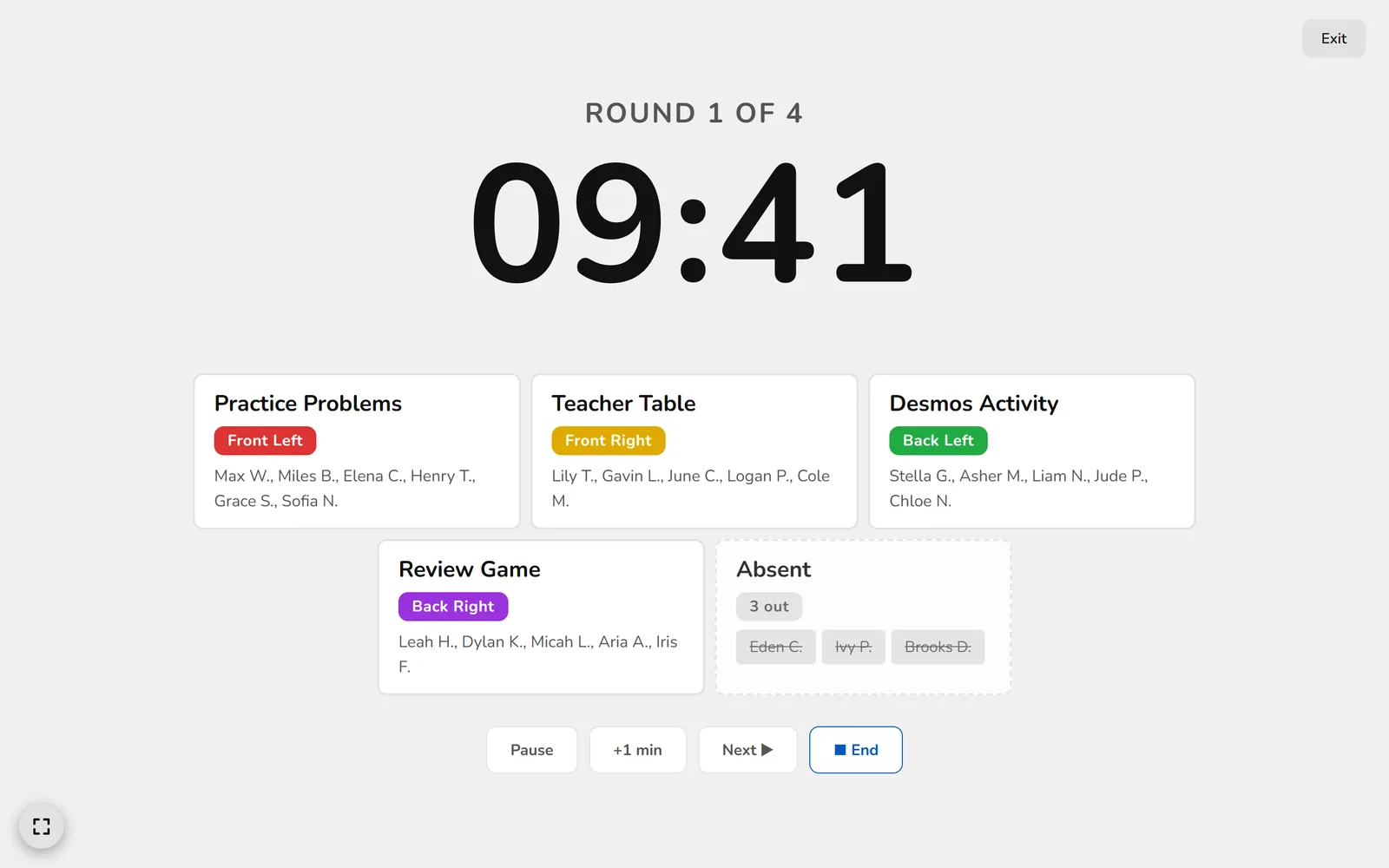
Set up stations once for each class. Start the rotation and the board shows the countdown and where every group goes, with a chime at each change and transition time to move.

  • Groups balanced automatically, never-together pairs kept apart
  • A full screen mode for easy viewing
  • Everyone back in their usual seats when it ends
A station rotation on the full screen board: a large countdown, four stations each listing the students who start there, and the absent students.
Behavior

Behavior and bonus points in one tap

Log a behavior with a reason, or give a bonus point, right from the seating chart, without stopping the lesson.

  • Your own list of reasons
  • Counters that count up, or down from a number you choose
  • Reset each day, week or month
  • Mark absences from the chart
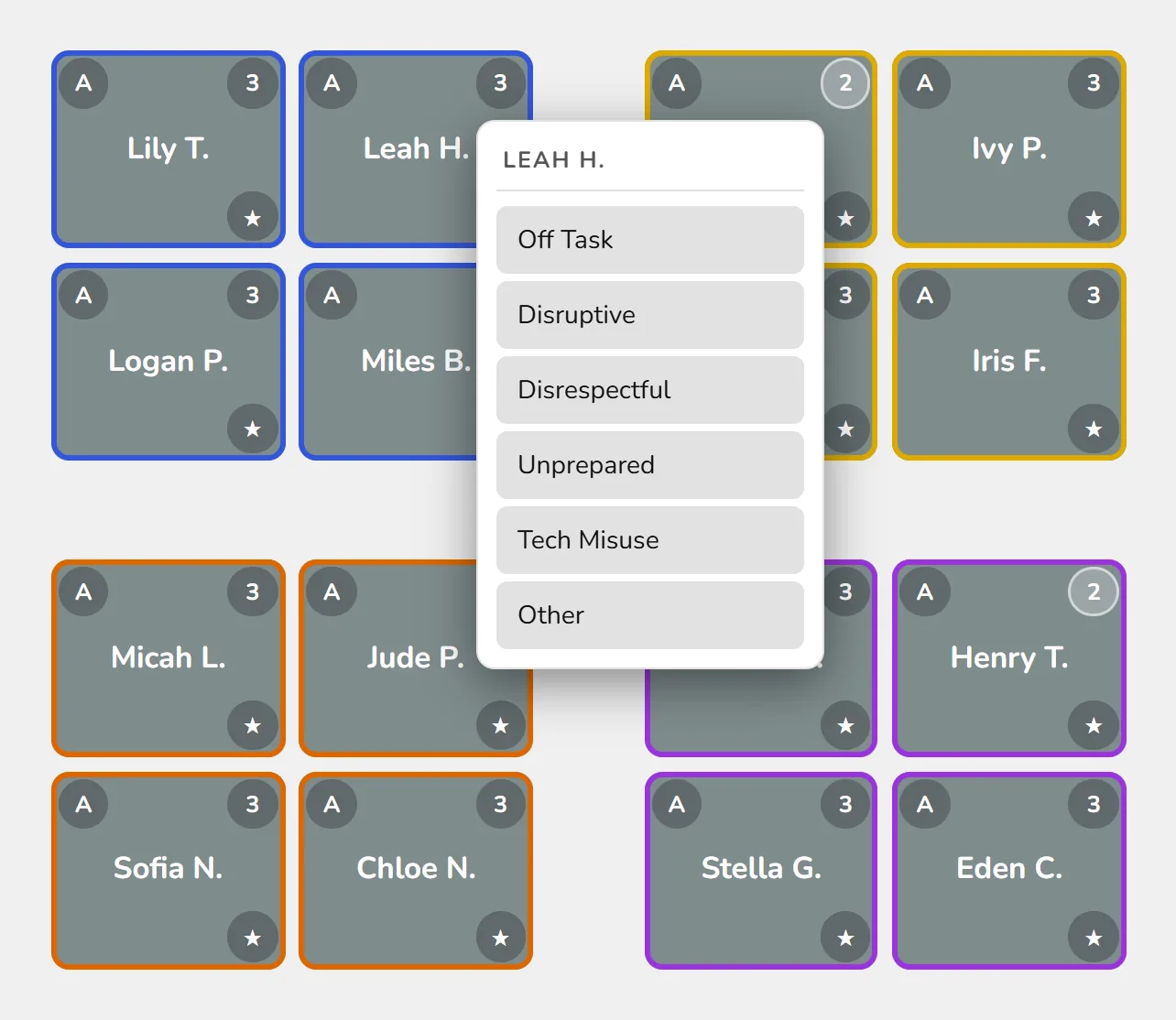
The reason picker open on a student, with reasons like Off Task and Unprepared, and counters counting down from 3.
Analytics

See the patterns

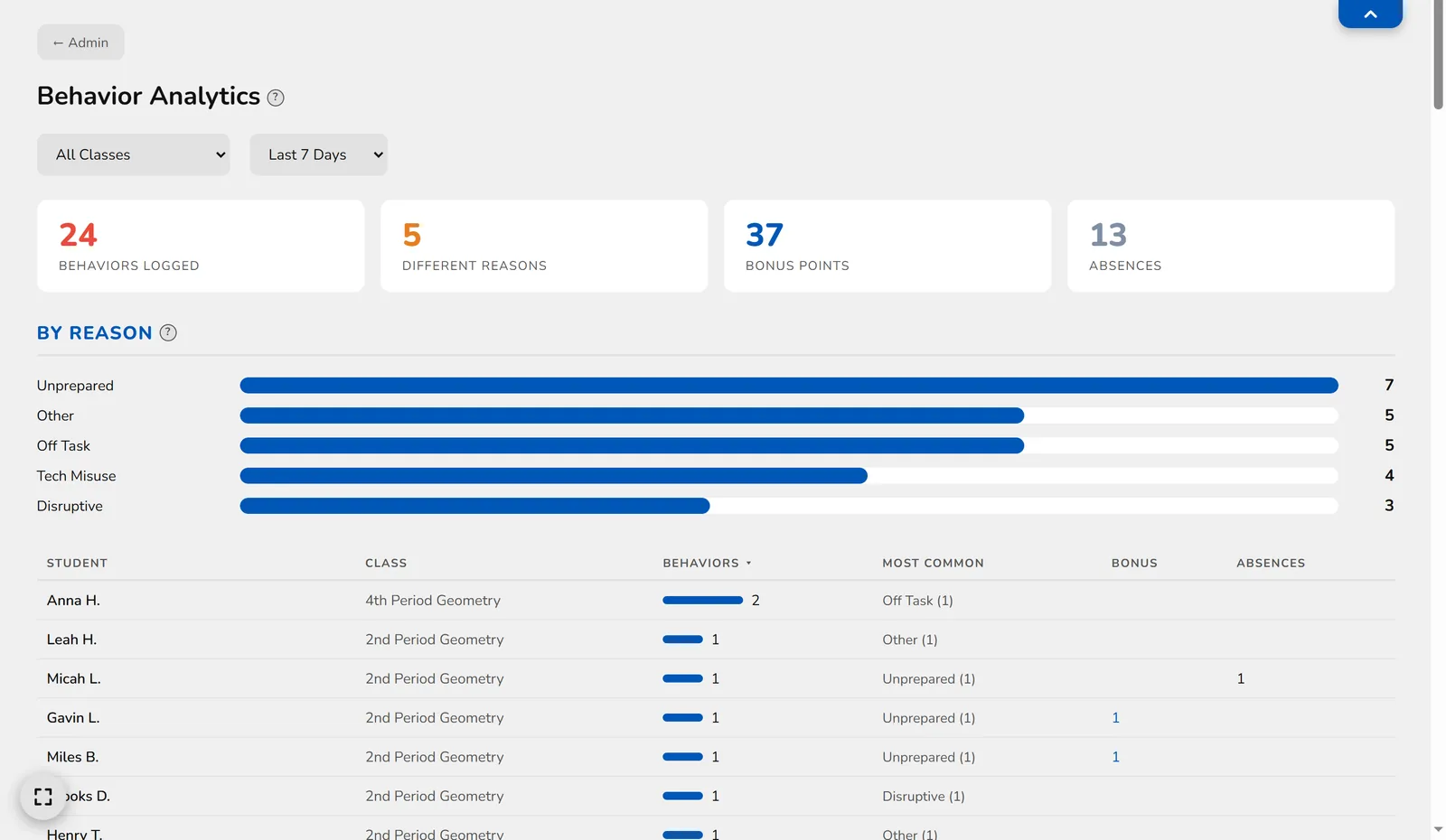
Behavior Analytics shows reasons, students, bonus points and absences across all your classes, for the week, the month or the year.

  • Spot the student who needs a conversation
  • Download a spreadsheet of your records any time
Behavior Analytics: totals for behaviors, reasons, bonus points and absences, a chart by reason, and a table of students.

And the little things that save a minute every period

Random pickers

Call on one student, one from every group, or a whole group, never the same group twice in a row.

Classroom tools

A timer, a random number picker, countdowns to test day, and discussion questions for groups.

Built for the board

Full screen mode and big, readable type for the front of the room. Hide the top bar with one tap.

Share with a co-teacher

Share a class with the teachers who work with those students, with one teacher using it at a time.

Keeps going when wifi drops

Bellwise keeps a copy in your browser, so class carries on and your changes save when the connection is back.

Guided setup

A short tour walks you through drawing your room and adding students. Most teachers are set up in about ten minutes.

Student privacy

Built for student privacy

  • Students never sign in or have accounts
  • No ads, and student data is never sold or used to train AI
  • Stored in the United States
  • Download or delete everything, any time

Read the Privacy Policy.

Who makes it

Made by a teacher

Bellwise started as one high school teacher's answer to a busy room: seating charts, groups and stations that run themselves, so the period goes to teaching.

It is built around what actually happens between the bells, and it keeps growing from what teachers ask for. Questions or ideas? Write to hello@bellwise.app.

Ready to set up your room?

Sign in with your Google account to get started.

Sign in with Google